Dyslexia and digital accessibility: How to break down reading barriers and improve the user experience
5. January 2026 · Sebastian Pokern
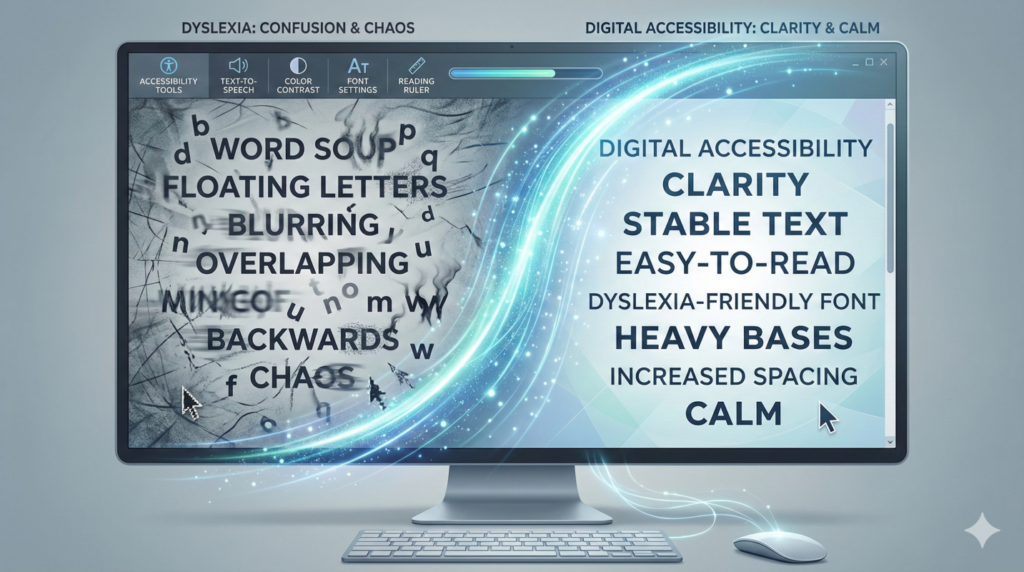
Imagine letters on the screen starting to dance, blur, or mirror themselves. For people with dyslexia (reading and spelling difficulties), this is often everyday reality when browsing the internet. Since around 10% of the population is affected, accessibility is not a niche issue here, but a decisive factor for the success of a website. With the Accessibility Strengthening Act (BFSG), digital inclusion is also becoming a legal requirement.
What does dyslexia mean in a digital context?
Challenges in visual processing
People with dyslexia process graphic symbols and letters differently than those without dyslexia. Characters such as “b” and “d” or “p” and “q” are often visually confused or perceived as rotated. In web design, tightly set text causes lines to visually merge, making it extremely difficult for readers to grasp content.
The role of cognitive load
When decoding individual words already requires full concentration, there is little capacity left to understand the actual content. An accessible website reduces this cognitive load through clear structures and intelligent assistive tools, making usage more relaxed for all visitors.
The biggest barriers on modern websites
Unsuitable fonts and serifs
Decorative fonts with serifs (small strokes) often look elegant but create a very busy visual appearance. For people with dyslexia, these fine details often blur into an illegible mass, making it impossible to quickly scan a page.
Line spacing that is too tight and “walls of text”
Without sufficient white space between lines and letters, readers can easily lose their place in the text. The so-called “river effect” in justified text, where irregular gaps appear between words, further disrupts reading flow and leads to faster fatigue.
Sensory overload and lack of orientation
Blinking banners, autoplay videos, and cluttered menus are major distractions from reading. Without visual anchors such as clear headings or active focus aids, navigating a website becomes a major challenge for those affected.
Targeted solutions with MH-Accessibility Pro
The OpenDyslexic font for better stability
Our plugin allows users to switch the entire website to the OpenDyslexic font. This special typeface is weighted more heavily at the bottom, giving letters a visual “gravity” that effectively prevents visual rotation or mirroring of characters in the reader’s perception.
Dynamic line and letter spacing
With just one click, visitors can individually increase spacing. More space between characters helps the brain identify symbols faster and more accurately. The result is significantly smoother information processing.
Reading mask and reading guide for maximum focus
The integrated reading mask dims irrelevant areas of the website, while the reading guide acts like a digital finger. Both help users stay on the correct line and focus their attention precisely on the section currently being read.
Color adjustments to reduce contrast stress
Extremely harsh contrast, such as pure black on pure white, can appear to “flicker” on screen for some readers. MH-Accessibility Pro allows backgrounds to be gently toned down or contrasts to be intelligently adjusted, making reading noticeably more comfortable.
More than inclusion: SEO benefits and higher conversions
Why Google loves accessible websites
Search engines now heavily evaluate user experience. A lower bounce rate and longer time on site—both results of good readability—signal to Google that your page is high quality. This sustainably improves your SEO rankings.
Reaching new customer groups
Accessibility is a real competitive advantage. If 10% of potential customers leave your site early due to reading barriers, you are losing real revenue. Inclusion therefore also means targeted optimization of your market share.
Conclusion: Digital participation made easy
Adapting your website for people with dyslexia is a win-win. You meet legal requirements such as the BFSG, improve your SEO rankings, and demonstrate social responsibility. With MH-Accessibility Pro, you can integrate these complex requirements in just a few minutes—without needing to write any code yourself.
Would you like to check your website for accessibility? Use our integrated WCAG analyzer or try MH-Accessibility Pro today with no obligation.